Lesson summary is one of the features in OSEM teacher where you can keep track with all the lessons that you’ve published in OSEM. Thus, it’ll be easier for you to check which chapter or subject that is needed to be accomplished.
How to view my lesson summary?
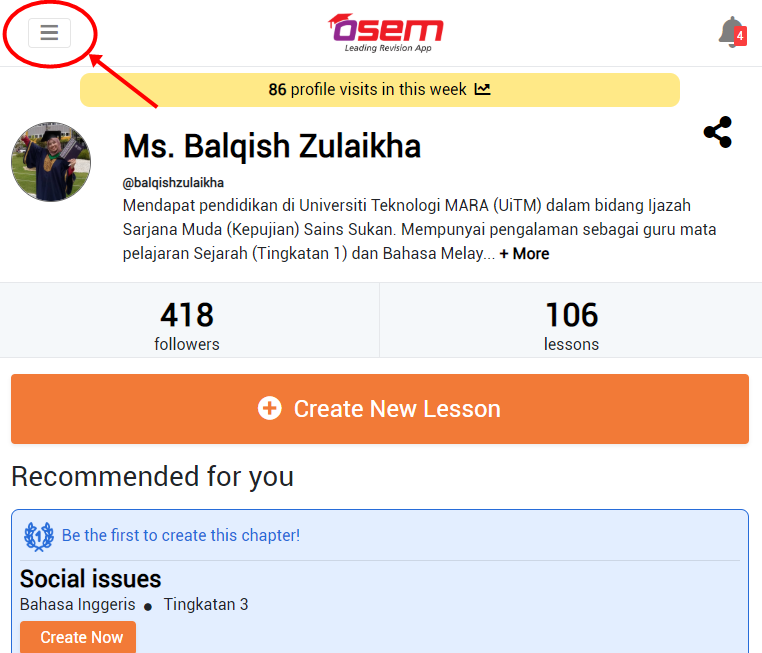
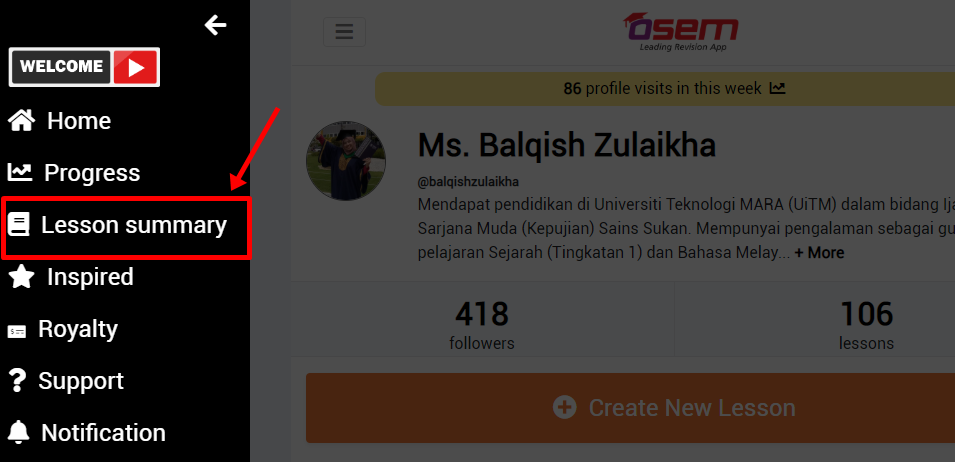
On the left side of your teacher main page, click on the burger menu and then click on the lesson summary menu.
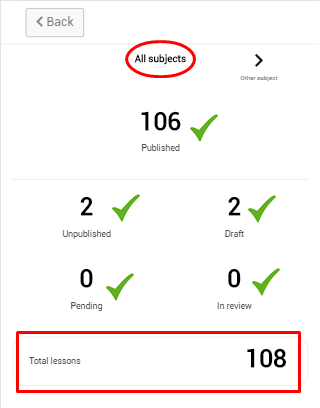
By All Subject
You can view your :
Total lesson
Total published lesson
Total unpublished lesson
Total draft
Total lesson in review
Total pending (if the teacher has been flagged)
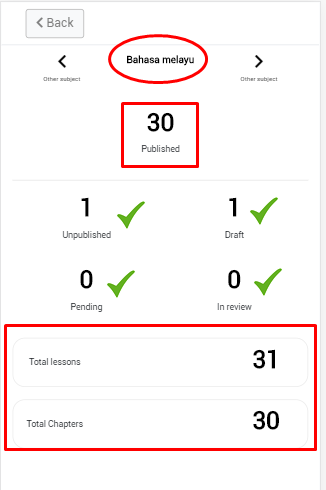
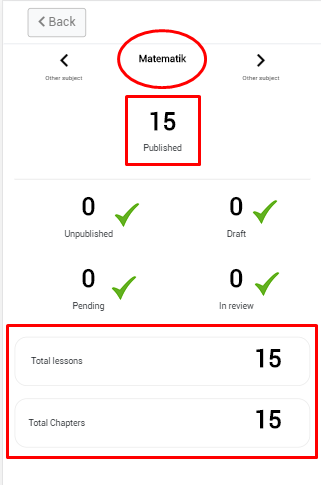
By Specific Subject
You can keep on track your :
Total lesson
Total chapter that has been done
Total published lesson
Total unpublished lesson
Total draft
Total lesson in review
Total pending (if the teacher has been flagged)
Is this helpful?
Yes
No
Send your feedback for "How to view my lesson summary?"