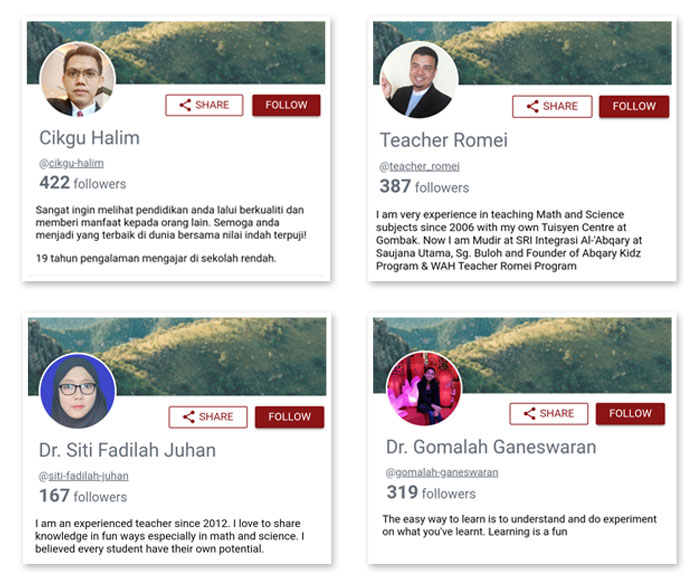
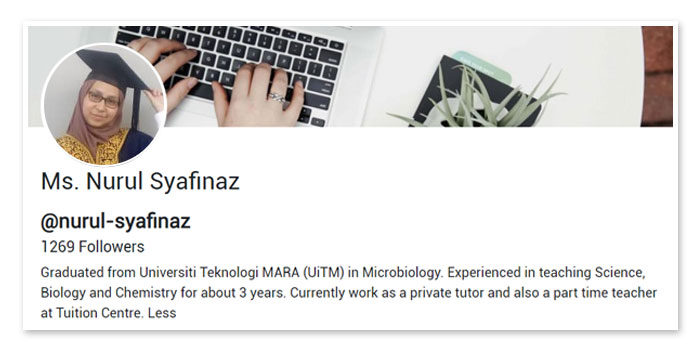
First thing first students will look into your profile before they learn lesson and follow you. Therefore, there are some tips to make your profile attractive and make student happy to learn your lesson.
1. Profile image
The image you choose for your profile should represent your professional self, from the clothes you're wearing to the expression on your face.
A plain background is best and the picture should be head and shoulders. You also have the option to change cover photo that represent your school or could be the subject you teach.
2. Profile name
You must put your real name when creating your profile. The name used will help your student easy to recognize and follow your profile.
3. About you
You may write the best description on your teaching experience, such as the subject you teach and how long have you been teaching. This information can attract students interest to learn your lesson.
Is this helpful?
Yes
No
Send your feedback for "Example of highly attractive profile"
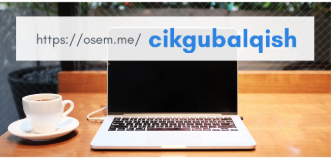
Change profile link
Profile Link is for you to share your lessons to students nationwide.
By default, once a Profile Link is created, accepted or edited by you; it will be permanent.
Changing a Profile Link is NOT recommended, however, request for changes is permissible.
What will happen after you changed your Profile Link?
Your new Profile Link will be searchable within the Osem app, but it may not show up immediately when anyone tries to Google Search it. Your new Profile Link may take up to 4 weeks to appear in Google Search result.
Once you have changed your Profile Link, this will affect all links that you or your students whom haveshared previously. Potential followers may find your previous Profile Link broken as it will lead to an empty page.
You cannot re-claim your previous Profile Link once you have made changes.